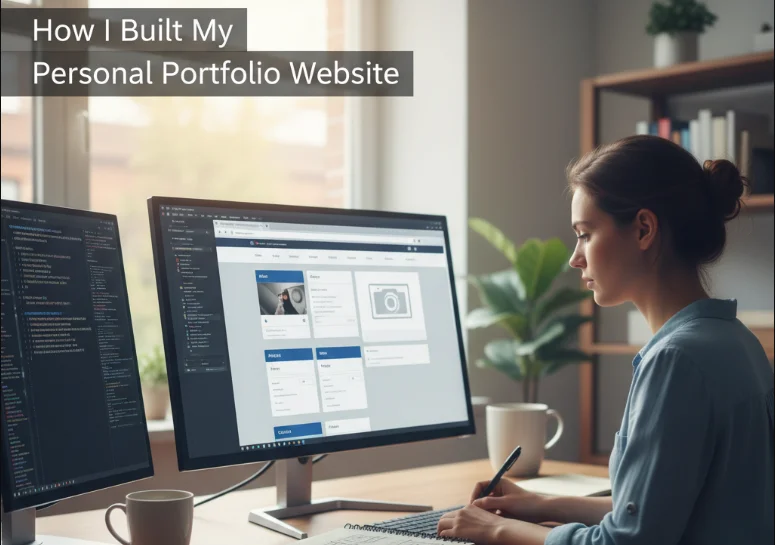
Building a personal portfolio website is one of the most practical ways to present skills, projects, and personality in a single place. It acts as a live resume, but with more context, creativity, and control over how your work is perceived. My goal was not just to create a website, but to build something that clearly communicates who I am as a developer and what I can do.
Why I Built a Personal Portfolio Website
I built my portfolio website because I needed a central space to showcase my projects and skills beyond a traditional resume. A resume often feels limited, but a portfolio allows for storytelling through real work.
The main motivations were:
- To demonstrate real-world projects in a structured way
- To show technical and design skills together
- To create a professional online presence
- To make it easier for recruiters and collaborators to find my work
Planning the Structure and Purpose
Before writing any code, I focused on planning the structure. A portfolio needs clarity more than complexity.
I defined four core sections:
- Home section with introduction
- About section describing background and skills
- Projects section showcasing work
- Contact section for communication
This planning step helped avoid unnecessary features and kept the design focused.
Choosing the Tech Stack
I chose a simple and flexible stack that allowed me to focus on content and design rather than complex setup.
My stack included:
- HTML for structure
- CSS for styling and layout
- JavaScript for interactivity
- Optional frameworks depending on complexity (like React in later versions)
Keeping the stack lightweight made development faster and easier to manage.
Design Decisions That Shaped the Experience
Design plays a huge role in how a portfolio is perceived. I focused on simplicity, readability, and consistency.
Key design principles included:
- Clean layout with strong spacing
- Minimal color palette to reduce distraction
- Clear typography hierarchy
- Consistent styling across sections
The goal was to make content easy to scan while still feeling modern and professional.
How I Built It Step by Step
Setting Up the Project
I started by creating a basic project folder structure with separate files for HTML, CSS, and JavaScript. This separation helped maintain clarity as the project grew.
I also set up a local development environment to test changes quickly.
Building the Layout
The layout was built using a simple grid and flexbox approach. I structured the page into clear sections with consistent spacing.
Each section was designed to be self-contained so updates could be made independently.
Creating the Projects Section
The projects section became the most important part of the portfolio. Each project included:
- Project title and description
- Technologies used
- Link to live demo or repository
This section was designed to highlight practical work rather than just listing skills.
Adding About and Skills Sections
The about section focused on storytelling rather than just listing facts. I included:
- Brief background
- Core skills and technologies
- Areas of interest and focus
This helped create a more personal connection with visitors.
Building the Contact Section
The contact section was kept simple and functional. It included:
- Email link for direct communication
- Optional social media links
- Basic contact form in some versions
The focus was on accessibility and ease of communication.
Performance, Responsiveness, and Polish
Once the core structure was complete, I focused on refinement. A portfolio must work well across devices and screen sizes.
Key improvements included:
- Mobile responsiveness using flexible layouts
- Optimized images for faster loading
- Smooth scrolling and subtle transitions
- Consistent spacing and alignment adjustments
These improvements made the site feel more professional and complete.
Deployment and Hosting
After development, I deployed the portfolio using a simple hosting solution. This made it publicly accessible and easy to share.
Common options include static hosting platforms or Git-based deployments. The goal was to ensure fast loading and reliable access.
Lessons Learned
Building a personal portfolio website taught me several important lessons:
- Simplicity often leads to better design outcomes
- Content clarity is more important than visual complexity
- Small design details significantly impact perception
- Iteration is essential for improvement
I also learned that a portfolio is never truly finished; it evolves with new projects and skills.
Final Thoughts
Building my personal portfolio website was more than a technical exercise. It was a process of defining how I want my work and skills to be presented. A strong portfolio is not just about design or code, but about clarity, structure, and storytelling.
The final result is a platform that grows with me and reflects my development journey over time. It continues to evolve as I learn new technologies and complete new projects.