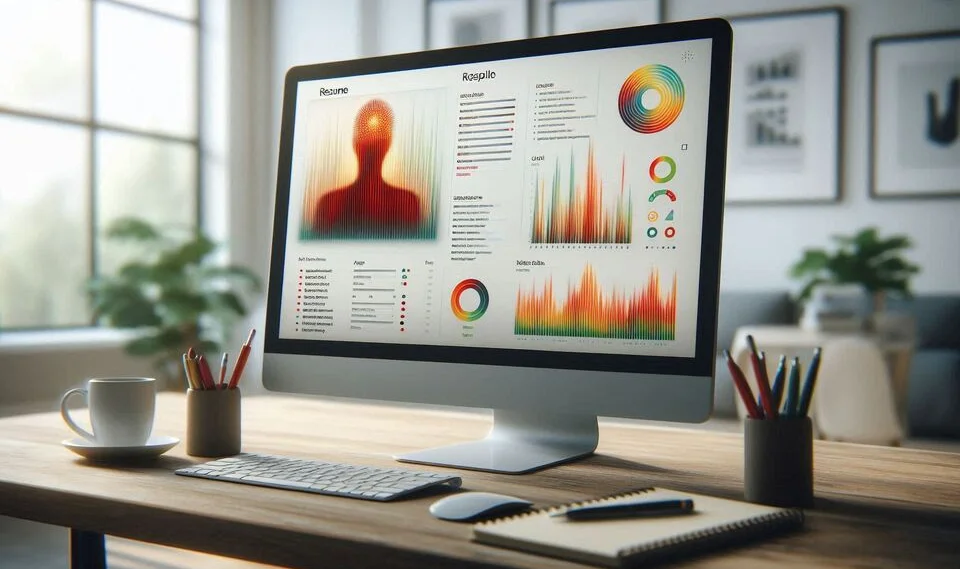
First impressions matter more than ever when it comes to job applications. Hiring managers often spend just seconds scanning a resume before deciding whether to continue reading or move on. This is where heatmaps can become a powerful ally. By analyzing how the human eye interacts with your resume, heatmaps reveal which sections attract the most attention and which areas are overlooked. In this post, we’ll explore how to use heatmaps to improve your resume layout, making it more engaging, scannable, and effective at securing interviews.
What Are Heatmaps?
Types of Heatmaps Used for Resumes
A heatmap is a visual representation of data that uses color gradients to show how users interact with a given layout or design. In the context of resumes, heatmaps can illustrate eye movement, mouse tracking, or attention span across different areas of your document. Common types include:
- Eye-tracking heatmaps: Show where readers look first, linger the longest, or skip entirely
- Click heatmaps: Useful for online resumes or portfolios to identify interactive engagement
- Scroll maps: Reveal how far down users typically scroll when viewing your resume online
Why Heatmaps Matter for Resume Design
A visually optimized resume helps guide a recruiter’s attention to your most valuable information. Heatmaps uncover patterns in visual behavior that can inform better design choices. For instance, you might discover that your skills section is being overlooked because it's buried at the bottom, or that a decorative header is distracting attention from your achievements. This data-driven insight enables you to redesign for clarity and impact.
How to Analyze Your Resume Using Heatmaps
Eye Tracking and Attention Flow
One of the most effective uses of heatmaps is eye-tracking analysis. Tools simulate or track where the eye naturally moves on a resume. These movements often follow an F-pattern or Z-pattern starting at the top left and scanning horizontally before moving downward. Analyze whether your key content aligns with these natural viewing paths.
Identifying Visual Priority Areas
Heatmaps show which areas get the most attention through bright colors (red, orange) and which are ignored (blue, green, or neutral). Use this insight to assess:
- Are job titles and company names in high-attention zones?
- Is your contact information too prominent or too hidden?
- Do your achievements or metrics attract the eye?
By evaluating these patterns, you can identify which sections of your resume need to be repositioned or reformatted.
Improving Your Resume Layout with Heatmap Insights
Optimize Header Sections
Your header typically includes your name, contact info, and a professional title or tagline. Heatmaps often reveal that this area gets immediate attention. Take advantage by including a keyword-rich professional title and a brief value proposition. Make sure your email and LinkedIn URL are easy to spot without cluttering the space.
Adjust Content Hierarchy
If your work experience or skills section is being skipped, rearrange the layout. Use section headings with strong contrast, bold fonts, or horizontal lines to create clear divisions. Place your most important information quantified achievements, technical skills, or certifications higher up in the layout so they appear within the most-viewed zones.
Streamline White Space and Alignment
Heatmaps often show that cluttered resumes repel the eye, while clean designs improve readability. Make strategic use of white space to give each section breathing room. Align bullet points, dates, and titles consistently. Avoid overuse of icons or colored text that may distract rather than guide the eye.
Tools and Resources for Creating Resume Heatmaps
You don’t need access to expensive eye-tracking hardware to get started with heatmaps. Here are some tools and methods you can use:
- Hotjar or Smartlook: If you host your resume or portfolio on a website, these tools provide click and scroll heatmaps
- VisualEyes or Attention Insight: Use AI-powered predictive eye-tracking to generate heatmaps based on resume screenshots
- Resume Worded or Enhancv: While not traditional heatmap tools, they simulate recruiter behavior to highlight layout effectiveness
- Usability testing: Ask a friend or career coach to scan your resume while you observe or record where their eyes go first
These tools help you gain objective insight into how your resume is perceived visually, allowing for targeted improvements.
Conclusion
A visually optimized resume can dramatically improve your chances of capturing a recruiter’s attention. By using heatmaps, you can understand how your resume layout performs under real-world conditions where eyes land, where attention fades, and how information flows. With this insight, you can make design adjustments that enhance readability, highlight your strengths, and create a professional impression that resonates within seconds. In a competitive job market, these small layout decisions can make a significant difference.